
Tabs in the news feed
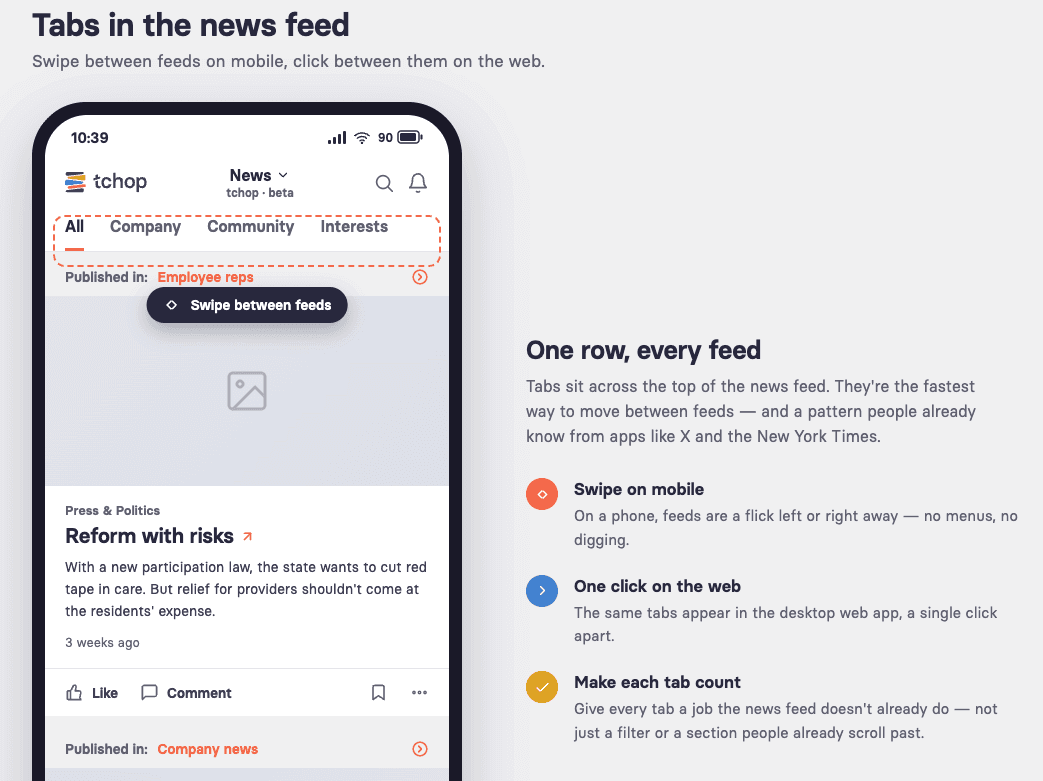
Tabs let people swipe between feeds on mobile and jump with one click on the web. Here's how to make each tab earn its place.
Tabs sit at the top of the news feed and let people move between feeds in an instant. They’re one of the simplest ways to give your app more depth without adding clutter.
Made for mobile, but quick on the web too
On a phone, tabs are a swipe away. People flick left and right between feeds without ever leaving the news screen — the fastest way to move through your content on mobile.
On the desktop web app, the same tabs are a single click. Whichever device someone opens, tabs keep navigation shallow and fast: no menus, no digging.
A pattern people already know
Top tabs are everywhere. Social apps like X and news apps like the New York Times all run tabs across the top of the feed. Your audience has used this pattern for years, so there’s almost nothing to learn — they reach for it instinctively.
Make each tab earn its place
The most common mistake is a tab that just repeats what’s already in the news feed. Before you add one, ask: what does this tab offer that people can’t already find in the main feed?
Don’t duplicate content that already appears in the news feed.
A tab shouldn’t just be a filter, or a section people already scroll past in the feed.
Give each tab a distinct job — a different audience, content type, or purpose.
If you can’t name what a tab adds, it probably shouldn’t be a tab.
Keep the important tabs first
On mobile, only the first few tabs are visible; the rest wait off-screen until people scroll sideways. Put your most important feeds first so they’re seen without a swipe.
In short
Tabs are a familiar, low-friction way to add depth — a swipe on mobile, a click on the web. Use them for feeds that genuinely add something new, not for slices of content people already see.